PixiJS 更新 - v8.17.0

· 10 min read
Zyie
PixiJS Admin

PixiJS v8.17.0 提供了一个优化的 BlurFilter,采用了新的强度减半方案,改进的文本渲染器一致性 使 TextBitmapTextHTMLText 的对齐更加接近,SplitText 中的 tagStyles 支持,以及容器上的新 visibleChanged 事件。此版本还包括在图形、滤镜和事件处理方面的一系列稳定性修复。

🌐 PixiJS v8.17.0 delivers an optimized BlurFilter with a new halving strength scheme, improved text renderer parity bringing Text, BitmapText, and HTMLText alignment closer together, tagStyles support in SplitText, and a new visibleChanged event on containers. This release also includes a wave of stability fixes across graphics, filters, and event handling.

优化模糊滤镜

🌐 Optimized BlurFilter

BlurFilter 现在默认使用强度减半方案。滤镜不会在每次处理时都应用全强度模糊,而是在多次处理过程中逐步降低强度。这样可以在高强度下获得更高的视觉质量,同时减少 GPU 工作量。

差异在高强度值下最为明显,此时传统方法会产生条带伪影,而优化版本则保持平滑:

🌐 The difference is most visible at high strength values, where the legacy approach produces banding artifacts while the optimized version stays smooth:

// New default behavior (optimized)
const blur = new BlurFilter({ strength: 20, quality: 4 });

// Restore old behavior if needed
const legacyBlur = new BlurFilter({ strength: 20, quality: 4, legacy: true });

// Or set globally
BlurFilter.defaultOptions.legacy = true;
行为改变

这会改变 BlurFilter 相对于以前版本的视觉输出。如果你需要旧的行为,请设置 legacy: true


感谢 @Zyie@Sertion 对模糊效果的改进。

🌐 Thanks to @Zyie and @Sertion for the blur improvements.


改进的文本渲染一致性

🌐 Improved text renderer parity

持续的文本更新使 TextBitmapTextHTMLText 的对齐更加一致。此版本修复了三者在布局上存在分歧的几个问题。

🌐 Continued text updates keep Text, BitmapText, and HTMLText alignment more consistent. This release closes several gaps where the three renderers disagreed on layout.

两端对齐 现在使用 wordWrapWidth 进行宽度计算,而不是 maxLineWidth,与 CSS 行为一致。段落的最后一行不再被拉伸。Canvas 文本和分割文本也通过分配额外的单词间距来渲染 align: 'justify',因此三种文本类型都产生相同的两端对齐输出。

位图文本 获得了完整的 whiteSpace 支持(normalprenowrappre-linepre-wrap),具有正确的空格和换行折叠。单词换行现在支持像连字符、短横线、长横线和软连字符这样的换行后字符。

HTMLText breakWords: true 现在正确使用 CSS word-break: break-word 而不是 break-all,与 TextBitmapText 的行为一致。

其他改进:

🌐 Other improvements:

  • 动态位图字体按字体大小成比例缩放投影 blurdistance
  • 位图字体 xAdvance 现在使用来自 measureText() 的真实字距宽度,而不是边界框宽度。
  • 在动态位图字体中,字距值已被 fontScale 正确缩放。
行为改变

align: 'justify' 现在使用 wordWrapWidth 进行宽度计算,而 HTMLText 中的 breakWords 使用 break-word 替代 break-all。如果升级后你的文本布局看起来有所不同,新行为在各个渲染器中更一致,并且符合 CSS 标准。


SplitText 标签样式

🌐 SplitText tagStyles

SplitText 现在支持 tagStyles,因此像 <red>Hello</red> <blue>World</blue> 这样的样式文本段可以被正确拆分为每个字符的 Text 对象,并保留各自的样式。这使得将内联样式与每个字符的动画结合变得简单明了:

const splitText = new SplitText({
text: '<bold>Important:</bold> animate <highlight>each character</highlight> individually',
style: {
fontSize: 32,
fill: 'white',
tagStyles: {
bold: { fontWeight: 'bold', fill: 'yellow' },
highlight: { fill: 'cyan' },
},
},
});

// Each char retains its tag style
splitText.chars.forEach((char, i) => {
// animate per character...
});

visibleChanged 事件

🌐 visibleChanged event

当容器的 visible 属性发生变化时,现在会触发 visibleChanged 事件。这消除了手动轮询或使用封装函数来检测可见性变化的需要:

🌐 Containers now emit a visibleChanged event when their visible property changes. This removes the need for manual polling or wrapper functions to detect visibility changes:

container.on('visibleChanged', (visible) => {
console.log('Visibility changed to:', visible);
});

container.visible = false; // fires the event

这对于在对象进入或离开可见性时触发动画、分析或清理逻辑很有用。

🌐 This is useful for triggering animations, analytics, or cleanup logic when objects enter or leave visibility.

感谢 @ikigai-bjorn-s 的贡献。

🌐 Thanks to @ikigai-bjorn-s for this contribution.


更多添加

🌐 More additions

  • 解析器别名移除:用于从解析器中移除别名的新功能,有助于动态资源管理(@Sertion)。

错误修复

🌐 Bug fixes

此版本解决了一系列稳定性问题:

🌐 This release addresses a broad set of stability issues:

  • 过滤器损坏TexturePool 现在分离了 mipmap 纹理,防止在多个过滤器共享池纹理时发生过滤器损坏(@vkarponen)。
  • ColorMatrixFilter 偏移:偏移值现在已正确应用 (@Sertion)。
  • ParticleContainer 滤镜偏移:全局滤镜偏移现在可以正确应用于粒子渲染(@GoodBoyDigital)。
  • NineSliceSprite 修剪:现在会应用纹理修剪偏移 (@shtse8)。
  • Graphics 范围:在空 Graphics 上的 getBounds() 现在返回有效的空范围,而不是抛出异常(@GoodBoyDigital)。
  • Graphics 陈旧边界getLocalBounds() 在同一帧的操作之间不再返回陈旧数据 (@GoodBoyDigital)。
  • 斜接连接边界Graphics 边界现在考虑了锐角处的斜接连接 (@GoodBoyDigital)。
  • BindGroup 崩溃:修复了当资源在批量组中被销毁时发生的崩溃(@GoodBoyDigital)。
  • BindGroup 监听器泄漏:旧的资源监听器现在已在 setResource 中移除 (@GoodBoyDigital)。
  • 渲染器销毁removeAllListeners() 现在在 Renderer.destroy() 上被调用 (@taye)。
  • 代码限制minFPS/maxFPS 的相互限制现在工作正常 (@Zyie)。
  • 颜色 alpha 缓存color.setAlpha() 现在会使缓存的源失效,防止重用过时的 alpha(@darthvader58)。
  • addChildAt 事件:在使用 addChildAt 时,removed 事件现在能正确触发 (@aSipz)。
  • 位图文本保护:缺失的字符和字距数据不再导致崩溃(@stargazer-2697)。
  • 触摸修改键TouchEvent 修改键现在会被复制到标准化触摸对象中(@kaigritun)。
  • 网页字体加载:字体名称现在使用引号,以支持较旧的 Chrome 版本(@adngdb)。
  • Web Worker 支持DOMPipe 注册已移至 init.ts 以修复 Web Worker 环境 (@Zyie)。

你可以在 GitHub 上查看完整的更新日志

🌐 You can view the full changelog on GitHub.


暂停漏洞奖励计划

🌐 Pausing the bug bounty program

从这个版本开始,我们将暂停 PixiJS 的漏洞赏金计划。

🌐 We're pausing the PixiJS bug bounty program starting with this release.

当我们推出这个项目时,目标很简单:奖励那些发现并修复真实漏洞的贡献者。我们希望回馈使 PixiJS 成为可能的社区。

🌐 When we launched the program, the goal was simple: reward contributors who find and fix real bugs. We wanted to give back to the community that makes PixiJS possible.

不幸的是,金钱奖励导致了大量低投入、由人工智能生成的拉取请求,这些请求未达到合并标准,并且维护者的审查负担增长速度已经超过了该计划所带来的价值。

🌐 Unfortunately, the monetary incentive has led to a rise in low-effort, AI-generated pull requests that don't meet the bar for merging, and the review burden on maintainers has grown faster than the value the program delivers.

明确一点:我们并不反对 AI 辅助的开发。我们积极支持它。我们维护 llms.txt 文件、文档中的复制到 Markdown 功能以及其他专门用于帮助 AI 工具更好理解 PixiJS 的工具。AI 是一个强大的工具,只要使用得当。

🌐 To be clear: we are not against AI-assisted development. We actively support it. We maintain llms.txt files, copy-to-markdown features in our documentation, and other tooling specifically to help AI tools understand PixiJS better. AI is a powerful tool when used well.

问题在于赏金激励了数量而非质量,该计划不再实现其最初的目标。

🌐 The issue is that the bounty has incentivized quantity over quality, and the program is no longer achieving its original goal.

我们仍然希望找到回馈贡献者的方法。我们正在探索在不产生错误激励的情况下奖励有意义贡献的替代方案。如果你有想法,我们很乐意在 Discord 上听取你的意见。

🌐 We still want to find ways to give back to our contributors. We're exploring alternatives that reward meaningful contributions without creating the wrong incentives. If you have ideas, we'd love to hear them on Discord.


新贡献者

🌐 New contributors

欢迎我们的最新贡献者:

🌐 Welcome to our newest contributors:

感谢你的贡献!

🌐 Thank you for your contributions!


获取最新的 PixiJS

🌐 Get the latest PixiJS

通过 npm 安装:

🌐 Install via npm:

npm install pixi.js@8.17.0

或者通过 CDN 使用:

🌐 Or use via CDN:

开发版本:

生产构建:

文档: https://pixijs.download/v8.17.0/docs/index.html


收尾

🌐 Wrapping up

以上就是 v8.17.0 的新增内容。模糊和文本更改属于行为更改,因此升级后请检查你的输出。如果有任何异常,上面的发行说明解释了如何恢复以前的行为。

🌐 That covers what's new in v8.17.0. The blur and text changes are behavior changes, so check your output after upgrading. If anything looks off, the release notes above explain how to restore previous behavior.

感谢所有为此版本贡献修复和功能的人。

🌐 Thanks to everyone who contributed fixes and features to this release.


创作愉快!

🌐 Happy creating!

PixiJS 团队

PixiJS 更新 - v8.16.0

· 10 min read
Zyie
PixiJS Admin

PixiJS v8.16.0 带来了两个主要功能:一个用于没有 WebGL/WebGPU 环境的实验性Canvas 渲染器,以及用于无需多个文本对象即可进行内联样式的标签文本。此版本还包括重大 SplitText 稳定性改进和广泛的引擎稳定性更新。

🌐 PixiJS v8.16.0 brings two headline features: an experimental Canvas renderer for environments without WebGL/WebGPU, and tagged text for inline styling without multiple text objects. This release also includes major SplitText stability improvements and broad engine stability updates.

画布渲染器(实验性)

🌐 Canvas renderer (experimental)

PixiJS 在 v8 中重新引入了 Canvas 2D 渲染器。它生成的构建更小,在旧硬件上运行良好,并且可以在没有 GPU 上下文的环境中工作。如果设备不支持 WebGL 或 WebGPU,PixiJS 会自动回退到 Canvas。无需配置,你的应用将继续运行。

🌐 PixiJS welcomes back the Canvas 2D renderer in v8. It produces a smaller build, runs well on older hardware, and works in environments where a GPU context isn't available. If a device doesn't support WebGL or WebGPU, PixiJS falls back to Canvas automatically. No configuration needed, your app keeps running.

如果你想始终使用 Canvas 渲染器,请明确设置偏好:

🌐 If you want to always use the Canvas renderer, set the preference explicitly:

await app.init({
preference: 'canvas',
});

这是一个早期的实验性版本。Canvas 渲染器并不支持 GPU 渲染器的所有功能,但它可以处理核心用例:精灵、图形、文本和基础滤镜。如果遇到问题,请 提交错误报告

🌐 This is an early, experimental release. The Canvas renderer doesn't cover every feature the GPU renderers support, but it handles core use cases: sprites, graphics, text, and basic filters. If you run into issues, please file a bug.


感谢 @krzys@Zyie 发货这一点。

🌐 Thanks to @krzys and @Zyie for shipping this.


标记文本

🌐 Tagged text

对字符串的部分进行样式化曾经意味着将文本拆分到多个对象中并自行管理布局。带标签的文本消除了这种麻烦。在你的 TextStyle 上定义标签样式一次,然后在字符串中使用内联标签:

🌐 Styling parts of a string used to mean splitting text across multiple objects and managing layout yourself. Tagged text removes that friction. Define tag styles once on your TextStyle, then use inline tags in your string:

const text = new Text({
text: '<bold>Important:</bold> This is <highlight>highlighted</highlight> text',
style: {
fontFamily: 'Arial',
fontSize: 28,
fill: 'white',
tagStyles: {
bold: { fontWeight: 'bold', fill: 'yellow' },
highlight: { fill: 'cyan', fontSize: 32 },
},
},
});

标签可以嵌套,并且每个标签都继承自基础样式。这在今天可以与 TextHTMLText 一起使用;BitmapText 支持即将推出。

🌐 Tags can be nested, and each tag inherits from the base style. This works with Text and HTMLText today; BitmapText support is coming soon.


SplitText 稳定性改进

🌐 SplitText stability improvements

SplitText 在此版本中进行了重大改进。它现在更接近标准 Text 行为,并且可以处理更广泛的 TextStyle 配置。主要变化如下:

  • 字符定位在不同的字体大小、粗细和样式下更为准确。

  • SplitText.from 通过将源锚点映射到枢轴坐标来正确传递源锚点。

  • 当你调用 styleChanged() 时,样式更改会自动传播:

    splitText.style.fontSize = 32;
    splitText.styleChanged();
  • SplitBitmapText 现在默认使用 white 填充,与 BitmapText 的行为一致。如果你以前手动传递 fill: 'white',可以将其移除。

与以前的版本相比,这些更改可能会导致位置略有偏移。如果升级后你的文本看起来不对,新的位置是更正确的。

🌐 These changes may cause slight positional shifts compared to previous versions. If your text looks off after upgrading, the new positions are more correct.


文本渲染修复

🌐 Text rendering fixes

在此版本中解决了几个长期存在的文本问题:

🌐 Several long-standing text issues are resolved in this release:

  • HTMLText 自动换行:现在会遵守 breakWords,超过 wordWrapWidth 的单词不再被裁剪。
  • HTMLText alpha:填充和描边的 alpha 值现在可以正确渲染。
  • 文本对齐align: 'right'align: 'center' 产生正确的位置。
  • HTML文本测量:测量精度提高,减少了布局不一致性。

更多添加

🌐 More additions

  • 立方体贴图:为环境贴图和天空盒风格渲染提供新的 CubeTexture 支持 (@GoodBoyDigital)。
  • 外部纹理支持:将你自己的 GPU 纹理引入 PixiJS,可用于与其他渲染器共享资源(@astralarya, @GoodBoyDigital)。
  • Mip 级别渲染:直接渲染纹理的特定 mip 级别 (@GoodBoyDigital)。
  • 渲染到数组层:在渲染时针对数组纹理的特定层(@GoodBoyDigital)。
  • 精灵图 parseSync:在纹理已加载时同步解析精灵图(@jimhigson)。
  • 改进的 Pool 类型pool.get() 现在返回正确类型的实例(@unstoppablecarl)。

错误修复

🌐 Bug fixes

除了以上的文本修复之外,此版本还解决了:

🌐 Beyond the text fixes above, this release addresses:

  • container.cullArea 现在在本地坐标空间中被正确解释,并在剔除检查之前转换到全局坐标(@jujurocket)。
  • graphics.texture(texture, 0x000000) 正确地应用了黑色色调,而不是将 0 视为“无色调”(@bigtimebuddy)。
  • WebGPU MSDF 着色器 使用 vColor 而不是 localUniforms.uColor,修复了 WebGPU 中位图字体的颜色(@Riphal)。
  • GlGeometrySystemVAO 缓存被保留,防止几何体损坏(@GoodBoyDigital)。
  • GC 系统 现在会将渲染组标记为脏,防止渲染状态过时 (@Zyie)。
  • WGSL 结构体反射 保留通用类型参数 (@stargazer-2697)。
  • 视频加载器 现在会捕获加载错误,而不是默默失败 (@stargazer-2697)。
  • 通过优化模块导入改进了树摇动(@Zyie
  • 自定义资源解析器 现在可以在解析器中重写 src (@GoodBoyDigital)。

你可以在 GitHub 上查看完整的更新日志

🌐 You can view the full changelog on GitHub.


即将到来:3D,PixiJS 风格

🌐 What's coming: 3D, the PixiJS way

虽然不属于此版本的一部分,但我们希望让你了解 PixiJS 的发展方向。我们正在积极将 3D 支持集成到引擎中,旨在与 2D 渲染器一起工作。

🌐 While not part of this release, we want to give you a look at where PixiJS is headed. We're actively building 3D support into the engine, designed to work alongside the 2D renderer.

交互体验越来越多地融合了二维和三维:二维界面覆盖在三维场景之上、三维元素嵌入二维世界以及大规模渲染大量简单三维对象。PixiJS 正在被扩展以直接处理这些情况,而无需使用单独的三维引擎或根本不同的工作流程。

🌐 Interactive experiences increasingly blend 2D and 3D: UI over 3D scenes, 3D elements embedded in 2D worlds, and large numbers of simple 3D objects rendered at scale. PixiJS is being extended to handle those cases directly, without requiring a separate 3D engine or a fundamentally different workflow.

这是最近一次内部测试,运行 200,000 个3D对象,带有阴影和动态光照,所有内容都由引擎自动批处理。无需手动管理绘制调用,也无需场景图的变通方法。你定义你的对象,PixiJS 处理剩下的部分:

🌐 Here's a recent internal test running 200,000 3D objects with shadows and dynamic lighting, all automatically batched by the engine. There's no manual draw-call management and no scene-graph workarounds. You define your objects, and PixiJS handles the rest:

使 PixiJS 在 2D 渲染中快速的相同批处理架构现在也被应用于 3D。材质、光照和阴影都通过相同的自动批处理管道流动,实现了在不牺牲简便性或性能的情况下处理大量对象。

🌐 The same batching architecture that makes PixiJS fast for 2D rendering is now being applied to 3D. Materials, lighting, and shadows all flow through the same automatic batching pipeline, enabling high object counts without sacrificing simplicity or performance.

我们的方法是有意持有观点。PixiJS并不是构建通用的3D引擎,而是专注于快速、可扩展的3D,并与2D紧密集成。

🌐 Our approach is to be intentionally opinionated. Rather than building a general-purpose 3D engine, PixiJS focuses on fast, scalable 3D that integrates tightly with 2D.

此版本中的立方体纹理、mip 级别渲染和数组层渲染是该 3D 管线的早期构建模块。

🌐 Cube textures, mip level rendering, and array layer rendering in this release are early building blocks for that 3D pipeline.

我们会在 Twitter/XBluesky 发布频繁的开发更新。如果你想实时看到这一进展,欢迎关注。

🌐 We're posting frequent development updates on Twitter/X and Bluesky. Follow along if you want to see this take shape in real time.


新贡献者

🌐 New contributors

欢迎我们的最新贡献者:

🌐 Welcome to our newest contributors:

感谢你的贡献!

🌐 Thank you for your contributions!


获取最新的 PixiJS

🌐 Get the latest PixiJS

通过 npm 安装:

🌐 Install via npm:

npm install pixi.js@8.16.0

或者通过 CDN 使用:

🌐 Or use via CDN:

开发版本:

生产构建:

文档: https://pixijs.download/v8.16.0/docs/index.html


收尾

🌐 Wrapping up

这就是 v8.16.0 中的新内容。如果你在使用 Canvas 渲染器或标记文本时遇到问题,请报告它们,以便我们进行改进。

🌐 That covers what's new in v8.16.0. If you hit issues with the Canvas renderer or tagged text, please report them so we can iterate.

感谢所有为此版本贡献修复和功能的人。

🌐 Thanks to everyone who contributed fixes and features to this release.


创作愉快!

🌐 Happy creating!

PixiJS 团队

PixiJS 更新 - v8.13.0

· 6 min read
Zyie
PixiJS Admin

此版本提供了若干新功能、性能改进,以及超过 20 个错误修复,以保持 PixiJS 的顺畅运行。

🌐 This release delivers several new features, performance improvements, and over 20 bug fixes to keep PixiJS running smoothly.

让我们来看一下这次版本中发生了哪些变化,并展望一下接下来的内容,同时分享一些令人兴奋的公告!

🌐 Let's take a look at what's changed in this release and look ahead to what's coming next, with some exciting announcements to share!

v8.13.0 新功能

🌐 What's New in v8.13.0

本次发布的一些亮点包括:

🌐 Some highlights from this release include:

  • SVG 填充规则支持 - 引擎现在可以渲染 SVG 子路径填充规则,提高了与矢量资源的兼容性(感谢 @creativoma)。

  • 文本缓存 - 文本纹理缓存(在 8.10.0 中暂时移除)现已恢复。现在,只有当文本对象使用相同的 TextStyle 实例(而不仅仅是等效设置)时,纹理才会被共享。这使缓存更稳定、错误率更低,并且在渲染许多相同样式的文本元素时可以显著提升性能。

    const textStyle = new TextStyle({ fontSize: 24, fontFamily: 'Verdana', fill: 0xffffff });
    const COUNT = 25000;

    for (let i = 0; i < COUNT; i++) {
    const bunny = new Text({ text: 'hello', style: textStyle });
    bunny.x = (i % 100) * 105;
    bunny.y = Math.floor(i / 100) * 25;
    container.addChild(bunny);
    }
  • 文本测量的LRU缓存 - 重复的字符串现在通过LRU(最近最少使用)缓存重用先前的测量,从而减少重复工作并提高性能。

  • 弃用消息控制 - 现在你可以抑制弃用警告,或在不支持颜色的环境中移除其颜色格式(感谢 @mayakwd)。

    import { deprecation } from 'pixi.js';
    deprecation.quiet = true; // Suppresses warnings
    deprecation.noColor = true; // Removes color formatting
  • 20多个修复 - 对文本、渲染、交互等方面进行了改进。非常感谢所有提供修复和报告问题的朋友们!

你可以在 GitHub 上查看完整的发行说明

🌐 You can see the full release notes on GitHub.


PixiJS 的下一步是什么

🌐 What's Next for PixiJS

接下来,我们很高兴分享一些我们正在为未来版本开展的较大计划。

🌐 Next up, we're excited to share some of the bigger initiatives we're working on for future releases.

gl2D 文件格式

🌐 gl2D File Format

我们目前正在开发一种名为 gl2D 的新二维场景开放格式。

🌐 We're currently working on a new open format for 2D scenes called gl2D.

gl2D 是一种基于 JSON 的场景描述格式,受 glTF 启发,但专为 2D 渲染设计。它提供了一种结构化的方法来描述:

🌐 gl2D is a JSON-based scene description format, inspired by glTF but designed specifically for 2D rendering. It provides a structured way to describe:

  • 场景 - 节点的集合(例如:菜单、游戏玩法、制作名单)。
  • 节点 - 容器、精灵、文本等。
  • 资源 - 纹理、精灵表、视频、字体、渐变等。

为什么选择 gl2D?

🌐 Why gl2D?

目前,没有标准的方法来描述二维场景。每个引擎或工具都使用自己的格式,这意味着资源和布局无法轻松共享。这种碎片化导致了重复工作、手动转换以及有限的互操作性。

🌐 Right now, there's no standard way to describe a 2D scene. Every engine or tool uses its own format, which means assets and layouts can't be shared easily. This fragmentation leads to duplicated work, manual conversions, and limited interoperability.

gl2D 的设计旨在通过以下方式解决此问题:

🌐 gl2D is designed to address this by:

  • 提供一个共同的基础——这样2D场景可以在不同工具和引擎之间共享。
  • 减少重复 - 开发者和设计师无需在多个工具中重建相同的场景。
  • 高效的资源管理 - 诸如纹理、字体或渐变等资源只需定义一次,就可以在多个节点中重复使用,从而保持文件更小并提高渲染效率。
  • 以网页为先的设计 - gl2D 的设计考虑了互操作性,因此它不仅可以与 PixiJS 配合使用,还可以与 Phaser 等生态系统中的其他引擎协同工作。
  • 启用新的工作流程 - 从设计工具导出或在 Pixi 上构建编辑器变得更加简单。

示例

🌐 Example

{
"asset": {
"version": "1.0",
"generator": "PixiJS"
},
"scene": 0,
"scenes": [
{
"name": "MainScene",
"nodes": [0]
}
],
"nodes": [
{
"type": "container",
"name": "Root",
"children": [1],
"translation": [100, 100]
},
{
"type": "sprite",
"name": "Hero",
"texture": 0,
"translation": [50, 0]
}
],
"resources": [
{ "type": "texture", "source": 0 },
{ "type": "image_source", "uri": "/textures/hero.png" }
],
"extensionsUsed": []
}

Figma 插件集成

🌐 Figma Plugin Integration

除了 gl2D,我们还在开发一个 Figma 插件,让你可以将设计直接同步到 PixiJS。

🌐 Alongside gl2D, we're building a Figma plugin that will let you sync designs directly into PixiJS.

这意味着:

🌐 This means:

  • 不再需要手动从设计文件重建布局。
  • 在 Figma 中创建的场景可以导出为 gl2D,并用最少的设置加载到 PixiJS 中。
  • 可以使用 Figma 的自动布局功能和 PixiJS 布局将场景创建为完全响应的布局,以适应不同的屏幕尺寸。
  • 设计师和开发者可以并行工作,在 Figma 中所做的更改可以直接流入你的 PixiJS 项目,无需额外步骤。

我们的目标是让设计与实现之间的交接无缝衔接,这样团队可以更多地专注于迭代,而不是转换。

🌐 Our aim is to make the handoff between design and implementation seamless, so teams can focus more on iteration and less on translation.


获取最新的 PixiJS

🌐 Get the Latest PixiJS

通过 npm 安装:

🌐 Install via npm:

npm install pixi.js@8.13.0

或者通过 CDN 使用:

🌐 Or use via CDN:

开发版本:

生产构建:

文档: https://pixijs.download/v8.13.0/docs/index.html


总结

🌐 Wrapping Up

这就结束了我们的八月更新。如果你有兴趣参与,我们一直在寻找对未解决问题提供帮助的人。

🌐 That wraps up our August update. If you're interested in contributing, we're always looking for help on open issues.

再次感谢所有为此次发布做出贡献的人!我们迫不及待想看看你们用 PixiJS 创造的作品。

🌐 Thanks again to everyone who contributed to this release! We can't wait to see what you create with PixiJS.


创作愉快!

🌐 Happy creating!

PixiJS 团队

PixiJS 更新 - v8.12.0

· 9 min read
Zyie
PixiJS Admin

PixiJS v8.12.0 已发布,它带来了我们首次“错误狩猎月”的成果。

🌐 PixiJS v8.12.0 is out, and it brings with it the results of our first-ever Bug Hunt Month.

整个七月,我们将注意力完全集中在漏洞上,修复它们,对它们进行分类处理,关闭陈旧的漏洞,并为关键漏洞添加赏金。结果呢?这是我们迄今为止最富有成效的维护月份之一:

🌐 Throughout July, we put our focus entirely on bugs, fixing them, triaging them, closing stale ones, and adding bounties for critical ones. The result? One of our most productive maintenance months to date:

  • 修复了45个错误
  • 已关闭 250+ 个问题
  • 几十个已分级和澄清的问题
  • 已分配并支付的若干赏金

衷心感谢在本月帮助报告、调试、测试或修复问题的每一位朋友。我们有几位新的贡献者加入,并对引擎做出了有意义的改进。

🌐 A big thank-you to everyone who helped report, debug, test, or fix problems during the month. We had several new contributors jump in and make meaningful improvements to the engine.

让我们来看一下这个版本中发生了哪些变化。

🌐 Let's take a look at what's changed in this release.

一些有用的补充

🌐 A Few Helpful Additions

虽然这主要是一个修复错误的版本,但我们确实加入了一些有用的新增功能:

🌐 While this was mostly a bug-fix release, we did sneak in a few useful additions:

  • 使用 cacheAsTexture 时,你现在可以控制 scaleMode

    container.cacheAsTexture({
    scaleMode: 'nearest',
    });
  • 我们在 TextureSource 上暴露了一个 maxAnisotropy 属性,以与其他传递的 TextureStyle 属性保持一致。

    texture.source.maxAnisotropy = 16;
  • 新的 DomAdapter.createImage() 函数用于创建图片元素。这允许诸如 Node 之类的环境创建像 SVG 这样的东西。

    const image = DomAdapter.get().createImage();
    image.src = 'path/to/image.svg';
  • 你现在可以在 PixiJS 和其他渲染引擎之间共享 WebGPU 适配器/设备

    const adapter = await navigator.gpu.requestAdapter();
    const device = await adapter.requestDevice();

    const app = new Application();
    await app.init({ gpu: { adapter, device } });
  • 资源 loadParser 已被弃用,并被 parser 替代,解析器的名称也已被弃用并简化

    // Old way
    await Assets.load({ src: 'path/to/asset', data: { loadParser: 'loadJson' } });
    // New way
    await Assets.load({ src: 'path/to/asset', data: { parser: 'json' } });

    // Name changes
    // 'loadJson' -> 'json'
    // 'loadSvg' -> 'svg'
    // 'loadTxt' -> 'text'
    // 'loadVideo' -> 'video'
    // 'loadWebFont' -> 'web-font'
    // 'loadBitmapFont' -> 'bitmap-font'
    // 'spritesheetLoader' -> 'spritesheet'
    // 'loadTextures' -> 'texture'
    // 'loadBasis' -> 'basis'
    // 'loadDds' -> 'dds'
    // 'loadKtx2' -> 'ktx2'
    // 'loadKtx' -> 'ktx'
  • 一个新的 WorkerManager.reset() 方法有助于释放内存并重置工作池,对于需要清理旧工作线程的长期运行应用非常有用。

    app.destroy(true, true); // Destroy the app
    WorkerManager.reset(); // Reset the worker pool

超过35个错误修复

🌐 Over 35 Bug Fixes

此版本包含针对各个字段的定向修复:

🌐 This release includes targeted fixes across a wide range of areas:

  • 遮罩现在在视口外也能正确显示
  • AnimatedSprite.destroy() 现在行为正常
  • HTML文本标签和样式的处理更可靠
  • Pattern 和 gradient 填充在已安装的 BitmapText 中按预期呈现
  • BitmapFont 获得了多个布局和渲染修复
  • 几个与遮罩、变换原点和剔除相关的问题已解决
  • 已解决可访问性和缩放问题

如果你对详细信息感兴趣,可以在 GitHub 查看完整的更新日志。

🌐 You can view the full changelog on GitHub if you're interested in the details.

内部工具和开发体验

🌐 Internal Tools and Dev Experience

除了修复和功能之外,我们还进行了一些内部改进:

🌐 Beyond the fixes and features, we also made a number of internal improvements:

  • 添加了 StackBlitz 集成,使共享和测试更加方便。你可以在这里查看:StackBlitz 示例
  • 改进了我们的 GitHub 问题模板和关于复现步骤的自动化。我们现在要求新问题必须提供复现步骤,以帮助我们更有效地处理它们。如果没有提供复现步骤,问题将在 7 天后自动关闭。
  • 更新了 Node 兼容性,以在构建项目时支持 Node 24。

这些更改不会面向用户,但它们应该会让贡献和调试的体验更加顺畅。

🌐 These changes aren't user-facing, but they should make contributing and debugging a smoother experience.


漏洞赏金计划

🌐 Bug Bounty Program

作为漏洞猎月的一部分,我们正式推出了我们的漏洞赏金计划。如果你是贡献者,这意味着修复某些问题可能会获得小额奖励,尤其是那些难以重现或对用户至关重要的漏洞。

🌐 As part of Bug Hunt Month, we officially launched our bug bounty program. If you're a contributor, this means some issues may come with a small reward for fixing them, especially bugs that are tough to reproduce or critical to users.

如果你想为 PixiJS 做出贡献,这是一个很好的起点。你可以在这里找到所有当前带有赏金标签的问题。

🌐 If you're looking to contribute to PixiJS, this is a great way to get started. You can find all current bounty-tagged issues here.

我们为什么要这样做

🌐 Why We're Doing This

我们相信开源和社区协作的力量。我们的漏洞赏金计划旨在:

🌐 We believe in the power of open source and community collaboration. Our bug bounty program is designed to:

  • 鼓励贡献者处理重要且有影响力的问题。
  • 认可在调试和修复复杂问题中所付出的辛勤努力。
  • 请理解 PixiJS 核心团队规模较小,且经常专注于其他关键任务,你的贡献有助于更快地解决问题。
  • 让 PixiJS 对每个人都更好。

赞助赏金

🌐 Sponsoring Bounties

如果你是开发者或公司,正在进行某个项目并希望赞助一次性赏金,请联系 Matt Karl @bigtimebuddy 或发送邮件至 hello@mattkarl.com 商议具体事宜。

🌐 If you are a developer or company working on a project and would like to sponsor a one-off bounty, please contact Matt Karl @bigtimebuddy at hello@mattkarl.com to arrange the details.

赞助商可以直接向我们的 Open Collective 进行一次性捐款来资助赏金。

🌐 Sponsors can make one-time donations directly to our Open Collective to fund the bounty.


PixiJS 布局 v3.1.0

🌐 PixiJS Layout v3.1.0

除了主要引擎更新之外,我们还发布了 PixiJS Layout 的新版本。

🌐 Alongside the main engine update, we also shipped a new version of PixiJS Layout.

此更新包含一些关键的生活质量改进:

🌐 This update includes a few key quality-of-life improvements:

  • 你现在可以定义自定义的默认 Yoga 配置

    const config = getYoga().Config.create();

    config.setExperimentalFeatureEnabled(ExperimentalFeature.WebFlexBasis, true);
    setYogaConfig(config);
  • 新的选项使拖动缓动更加可控

    const container = new LayoutContainer({
    layout: {
    overflow: 'scroll',
    },
    trackpad: {
    // Constrain scrolling within bounds
    constrain: true,
    // Percentage of overflow allowed when dragging beyond x-axis limit
    xConstrainPercent: 0.2,
    // Percentage of overflow allowed when dragging beyond y-axis limit
    yConstrainPercent: 0.2
    },
    });

我们还修复了与布局更新、重新设置父级、可见性和容器大小相关的几个错误。这些修复使布局行为更加可预测,并且更符合开发者对 Flexbox 风格布局的预期。

🌐 We also fixed several bugs related to layout updates, reparenting, visibility, and container sizing. These fixes make layout behavior more predictable and align better with how developers expect Flexbox-style layouts to behave.

我们也改进了 StackBlitz 集成以及这里的错误报告流程。

🌐 We've also improved StackBlitz integration and our bug reporting flow here as well.

文档可在 layout.pixijs.io 获取

🌐 Documentation is available at layout.pixijs.io

安装方式:

🌐 Install with:

npm install @pixi/layout@3.1.0

获取最新的 PixiJS

🌐 Get the Latest PixiJS

通过 npm 安装:

🌐 Install via npm:

npm install pixi.js@8.12.0

或者通过 CDN 使用:

🌐 Or use via CDN:

开发版本:

生产构建:

文档: https://pixijs.download/v8.12.0/docs/index.html


结论

🌐 Conclusion

这就总结了我们的七月更新。如果你有兴趣参与,我们一直在寻找帮助处理未解决的问题,无论是否标有悬赏标签。

🌐 That wraps up our July update. If you're interested in contributing, we're always looking for help on open issues, bounty-tagged or otherwise.

再次感谢所有让错误狩猎月取得成功的人。我们很期待看到你们接下来会创造什么!

🌐 Thanks again to everyone who made Bug Hunt Month a success. We're excited to see what you build next!

创作愉快!

🌐 Happy creating!

PixiJS 团队

PixiJS 更新 - v8.11.0

· 9 min read
Zyie
PixiJS Admin

PixiJS v8.11.0 引入了强大的新文本工具,用于创建高级动画,并进行了一些提升使用体验的改进。以下是新增内容:

🌐 PixiJS v8.11.0 introduces powerful new text tools for creating advanced animations and several quality-of-life improvements. Here's what's new:

  • SplitText & SplitBitmapText: 将文本拆分为行、单词和字符,以实现精细控制和高级动画
  • 容器的新 origin 属性: 在不影响位置的情况下围绕定义点旋转和缩放
  • replaceChild 方法: 在保持变换的同时无缝切换显示对象
  • 位图文本换行: breakWords 现在可以与 BitmapText 一起使用,以实现更好的布局控制
  • llms.txt 支持: 我们已为 llms.txt 标准添加官方支持,以帮助 AI 工具发现并遵守 PixiJS v8 内容。
  • PixiJS 展示: 提交你的项目并在我们的新社区图库中展示
  • 赞助更新: 我们现在已在 GitHub Sponsors 上上线,并提供了全新和改进的赞助等级

让我们深入了解细节。

🌐 Let's dive into the details.

SplitText 和 SplitBitmapText

🌐 SplitText & SplitBitmapText

warning

此功能处于实验阶段,未来版本可能会有所更改。如果你遇到任何问题,请在我们的GitHub 问题页面上报告。

我们都喜欢动画文本,但直到现在,将文本拆分为单个字符、单词或行一直很麻烦。使用新的 SplitTextSplitBitmapText 类,你可以轻松控制任何级别的文本。

🌐 We all love animated text, but until now, breaking text into individual characters, words, or lines was a pain. With the new SplitText and SplitBitmapText classes, you can control text at any level with ease.

你可以:

🌐 You can:

  • 使用像 GSAP 这样的补间动画库独立地为每个部分制作动画。
  • 为字符、单词和行定义独立的“锚点”。
  • 在运行时动态更新文本或样式。
  • 拆分现有的 TextBitmapText
import { SplitText } from 'pixi.js';

// Create new SplitText instance
const newSplitText = new SplitText({ text: 'Hello Pixi', style: { fontSize: 36 } });

// Split existing Text object
const myText = new Text('Hello Pixi', { fontSize: 36 });
const splitText = SplitText.from(myText);

查看完整示例和使用指南 这里

warning

提醒:当拆分字符时,浏览器的字距调整会失效,因此间距可能会与标准文本略有不同。这种权衡提供了创意灵活性,但对于像素精确的布局来说,需要注意这一点。


container.origin 属性

🌐 New container.origin Property

新的 origin 属性允许你控制容器旋转或缩放的起点,而不会改变其在场景中的位置。

🌐 The new origin property allows you to control where a container rotates or scales from, without shifting its position in the scene.

new Container({ origin: { x: 100, y: 100 } });
new Container({ origin: 50 }); // Same as { x: 50, y: 50 }

为什么不使用 pivot

pivot 改变变换原点时,它也会修改容器的位置,从而使布局和动画逻辑更加复杂。

🌐 While pivot changes the transform origin, it also modifies the container’s position, making layout and animation logic more complex.

origin 属性提供了一种可预测、位置稳定的变换控制替代方案。

🌐 The origin property provides a predictable, position-stable alternative for transform control.


新的 container.replaceChild 方法

🌐 New container.replaceChild Method

这种新方法允许你在容器内将一个显示对象替换为另一个,而新的子对象会继承旧对象的本地变换。这意味着你可以在不丢失其索引、位置、缩放、旋转或其他任何本地变换的情况下替换对象。

🌐 This new method allows you to swap out one display object for another within a container and the new child inherits the local transform of the old one. This means you can replace objects without losing their index, position, scale, rotation, or any other local transforms.

container.replaceChild(oldChild, newChild);

这非常适合用于像将静态文本替换为带有 SplitText 版本的动态效果这样的用例。

🌐 This is perfect for use cases like swapping static text with a SplitText version for dynamic effects.

const myText = new BitmapText({
text: 'Hello Pixi',
style: {...},
scale: 2,
skew: { x: 0.1, y: 0.2 },
anchor: { x: 0.5, y: 0.5 },
});
const segmented = SplitBitmapText.from(myText);

// Use the new replaceChild method to swap text
container.replaceChild(myText, segmented);

为位图文字提供更好的断词

🌐 Better Word Breaking for BitmapText

breakWords 选项现在可以与 BitmapText 一起使用。这改善了使用位图字体的项目的布局控制,使管理动态图片文本、标签和用户界面元素更加容易。

🌐 The breakWords option now works with BitmapText. This improves layout control for projects using bitmap fonts, making it easier to manage dynamic text, labels, and UI elements.


llms.txt 支持

🌐 llms.txt Support

我们现在正式支持 llms.txt 规范,以帮助 AI 工具访问准确的 PixiJS 文档。 我们为不同的上下文窗口大小提供了几个文档文件:

🌐 We now officially support the llms.txt convention to help AI tools access accurate PixiJS documentation. We provide several documentation files for different context window sizes:

文件描述
/llms.txt可用文档文件索引
/llms-full.txt完整的 API 文档,包括所有类、方法和示例
/llms-medium.txt为中等上下文窗口的 AI 工具优化的压缩文档

这些文件是从我们的 TypeScript 定义和文档源自动生成的。它们每天都会更新,以确保 LLM 和 AI 驱动的工具能够参考最准确、最新的 PixiJS 信息。

🌐 These files are generated automatically from our TypeScript definitions and documentation sources. They update daily to ensure LLMs and AI-powered tools can reference the most accurate, up-to-date PixiJS information.

这有助于编码助手、搜索工具和文档机器人提供正确的建议,并避免使用过时或错误的信息。

🌐 This helps coding assistants, search tools, and documentation bots provide correct suggestions and avoids outdated or incorrect information being used.


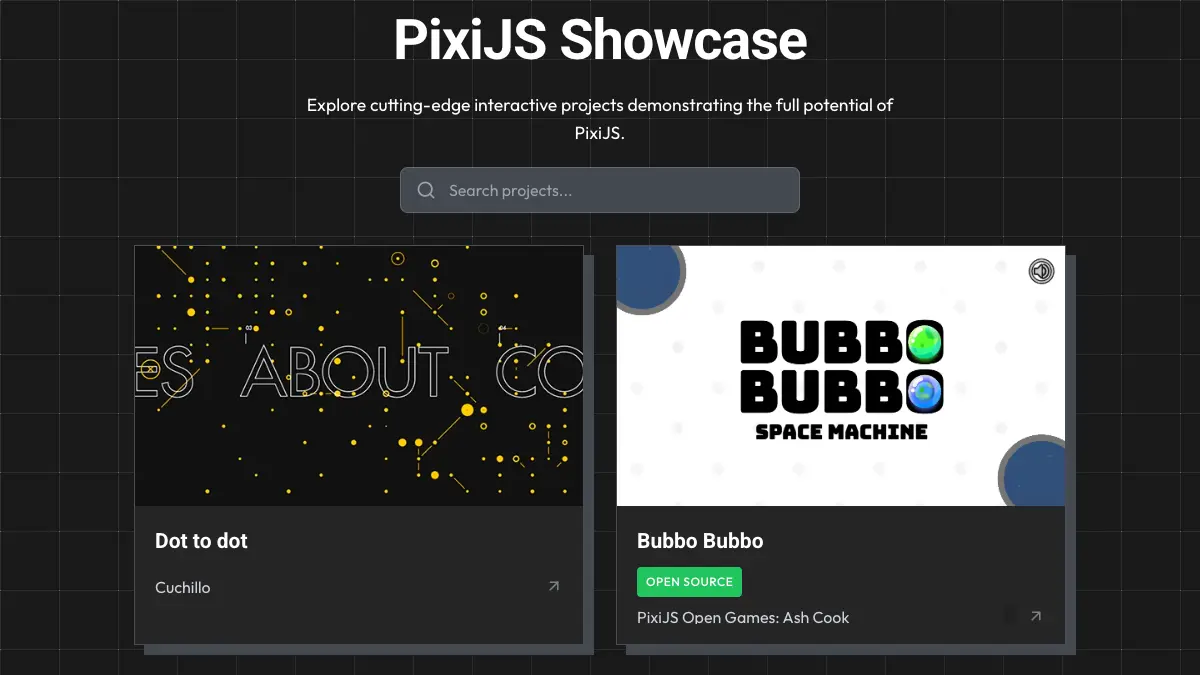
PixiJS 展示现已上线

🌐 PixiJS Showcase is Live

我们喜欢看到你们用 PixiJS 制作的作品。新的 PixiJS 展示 展示了社区创作的游戏、网站、应用、工具和实验项目。

🌐 We love seeing what you build with PixiJS. The new PixiJS Showcase highlights games, websites, apps, tools, and experiments created by the community.

Tags Example

如果你做了什么很酷的东西,我们很乐意展示它。只需填写页面上的提交表格。我们总是对Pixi社区的创意感到惊讶!

🌐 If you've made something cool, we'd love to show it off. Just fill out the submission form on the page. We're always amazed by the creativity of the Pixi community!


赞助更新

🌐 Sponsorship Updates

PixiJS 现在已在 Github Sponsors 上上线,我们已经重新设计了赞助等级,以为我们的支持者提供更多价值和曝光。

🌐 PixiJS is now live on Github Sponsors and we've revamped our sponsorship tiers to provide more value and visibility for our supporters.

我们依靠赞助来维持 PixiJS 的可持续开发,而你的支持帮助我们继续改进库、修复错误并添加新功能。

🌐 We rely on sponsorships to keep PixiJS development sustainable, and your support helps us continue improving the library, fixing bugs, and adding new features.

赞助等级

🌐 Sponsorship Tiers

等级每月权益
青铜$100在我们的网站上显示你的徽标,并附上你的网站链接
白银$250青铜等级的权益,加上在发布博客文章中显示徽标,以及在展示页面中的赞助链接
黄金$500白银等级的权益,加上在所有文档页面和 GitHub README 中显示徽标
黄金++$1000黄金等级的权益,加上在展示页面中两个赞助链接和优先处理的错误修复
铂金$2000黄金++等级的权益,加上最显眼的徽标位置、最高优先级的错误修复和路线图意见

你可以在我们的赞助商页面上找到所有详细信息。

🌐 You can find all the details on our Sponsors page.


结论

🌐 Conclusion

PixiJS 8.11.0 为构建交互式内容带来了微妙但强大的改进,包括分段文本动画、更好的布局工具以及改进的生态系统支持。

🌐 PixiJS 8.11.0 adds subtle but powerful improvements for building interactive content, including segmented text animations, better layout tools, and improved ecosystem support.

我们很期待看到你接下来会创造什么,更期待能与大家一起构建 PixiJS。

🌐 We're excited to see what you build next, and even more excited to build PixiJS with all of you.

创作愉快! PixiJS 团队

🌐 Happy creating! The PixiJS Team

PixiJS 更新 - v8.10.0

· 10 min read
Zyie
PixiJS Admin

PixiJS v8.10.0 对我们的文档进行了重大改进,同时还进行了几项更新,以增强文本渲染和开发者控制。新的内容如下:

🌐 PixiJS v8.10.0 introduces a major overhaul of our documentation along with several updates that enhance text rendering and developer control. Here's what's new:

  • 完整文档改造:改进的指南、API 文档以及更好的组织
  • 文本修剪:通过自动去除空白优化文本渲染
  • 文本筛选器:直接在文本样式配置中应用筛选器
  • 可调节文本纹理样式:通过新的纹理样式选项微调文本的纹理呈现方式

文档全面改革

🌐 Documentation Overhaul

通过此次发布,我们对文档进行了重大投入,以使 PixiJS 对新手和有经验的开发者都更加易于访问和使用。

🌐 With this release, we are making a significant investment in our documentation to make PixiJS more accessible and easier to use for both new and experienced developers.

这一变化是由我们去年收集的调查结果推动的,调查结果显示需要更清晰、更有条理的文档。我们希望确保开发者能够快速找到他们所需的信息,无论他们是刚开始使用还是希望加深对 PixiJS 的理解。考虑到这一点,我们已经完全重新设计了文档的结构和内容。

🌐 This change is driven by the survey results we gathered last year, which highlighted the need for clearer, more organized documentation. We want to ensure that developers can quickly find the information they need, whether they are just starting out or looking to deepen their understanding of PixiJS. With that in mind, we have completely revamped our documentation structure and content.

注意

正如任何重大变更一样,也有需要改进的地方。我们欢迎你的反馈,以便我们在持续改进文档时参考。

新网站文档

🌐 New Website Documentation

我们已经扩展并重组了我们的指南,现在涵盖了 PixiJS 的所有核心字段,并改进了入门部分。目标是为新用户提供更清晰的入门点,并为有经验的开发者提供更全面的资源。

🌐 We've expanded and restructured our guides to now cover all core areas of PixiJS with improved getting started. The goal is to provide clearer entry points for new users and more comprehensive resources for experienced developers.

增强的 API 文档

🌐 Enhanced API Documentation

我们已经从 WebDoc 转向 TypeDoc 用于我们的 API 生成。此更改带来了对 TypeScript 的更好支持,并允许我们在整个文档中提供更详细和准确的信息。

🌐 We've transitioned from WebDoc to TypeDoc for our API generation. This change brings improved support for TypeScript and allows us to provide more detailed and accurate information throughout the documentation.

随着这次技术变革,我们也重新思考了API 文档的组织方式。我们没有将所有内容呈现在一个单一的、整体的参考中,而是将 API 分为两个部分:标准高级

🌐 Alongside this technical shift, we've also rethought how the API Documentation is organized. Rather than presenting everything in a single, monolithic reference, we've categorized the APIs into two sections: Standard and Advanced.

  • 标准 API 覆盖了最常用的功能——这些是构建大多数 PixiJS 应用的基础。
  • 高级 API 包括更复杂或专业化的工具,这些工具对于特定的使用场景非常有价值,但并非所有用户都需要。

这个新结构旨在减少新手的认知负荷。开发者可以专注于最相关的 API,而不会被整个库的全部内容所淹没。

🌐 This new structure is designed to reduce cognitive load for newcomers. Developers can focus on the most relevant APIs without being overwhelmed by the full scope of the library.

对于需要访问更高级功能的人,在 API 文档的右上角有一个标记为 “高级” 的简单切换。启用它可以在需要时显示完整的 API 功能。

🌐 For those who need access to more advanced features, there's a simple toggle in the top-right corner of the API documentation labeled "Advanced". Enabling it reveals the full API surface when needed.

API Documentation Screenshot

我们也借此机会改进了文档本身的清晰度。对于每一个 Standard API,我们的目标是提供:

🌐 We've also taken this opportunity to improve the clarity of the documentation itself. For each Standard API, we aim to provide:

  • 对其目的的清晰解释
  • 实际使用示例
  • 相关 API 的链接,便于更轻松地探索

这些改进旨在帮助开发者更好地理解如何有效使用 PixiJS——无论他们是刚刚入门还是希望深入研究。

🌐 These improvements are intended to help developers better understand how to use PixiJS effectively—whether they're just getting started or looking to dig deeper.

公共与内部 API

🌐 Public vs Internal APIs

为了帮助更清晰地界定开发者应依赖的内容和仅供内部使用的内容,我们已经审计了整个代码库,并相应地标记了 API。内部方法现在已从 API 文档中排除。这使公共 API 的表面更加稳定,并降低了无意依赖内部行为的风险。

🌐 To help define a clearer boundary between what developers should rely on and what is meant for internal use, we've audited the entire codebase and marked APIs accordingly. Internal methods are now excluded from the API docs. This makes the public API surface more stable and reduces the risk of unintentional dependency on internal behaviors.

新功能 🎉

🌐 New Features 🎉

既然我们已经讲解了文档的全面改版,现在让我们深入了解 PixiJS v8.10.0 中引入的新功能:

🌐 Now that we've covered the documentation overhaul, let's dive into the new features introduced in PixiJS v8.10.0:

已烘焙文本过滤器

🌐 Baked Text Filters

文本滤镜现在可以在创建时应用,将效果直接烘焙到纹理中。这可以避免运行时滤镜的开销,并允许更具表现力的样式,如轮廓和投影,而不会带来性能损失。

🌐 Text filters can now be applied at creation time, baking the effect directly into the texture. This avoids runtime filter costs and allows more expressive styles, such as outlines and drop shadows, without performance penalties.

要使用此功能,你现在可以直接在 TextStyle 配置中指定过滤器:

🌐 To use this feature, you can now specify filters directly in the TextStyle configuration:

const style = new TextStyle({
fontFamily: 'Arial',
fontSize: 36,
fill: '#ffffff',
filters: [new BlurFilter()],
});
const text = new PIXI.Text({ text: 'Hello, PixiJS!', style });

此外,filterSystem 中新增了一个 generateFilteredTexture 方法:

🌐 Additionally, a new generateFilteredTexture method has been added to filterSystem:

const blurFilter = new BlurFilter();
const filteredTexture = renderer.filters.generateFilteredTexture({
texture,
filters: [blurFilter],
});

文本裁剪

🌐 Text Trimming

自动删除文本周围不必要的空白。

🌐 Automatically remove unnecessary whitespace around text.

性能警告

这是一个成本很高的操作,因为它需要扫描像素的 alpha 值。避免在动态文本中使用 trim: true,因为它可能会显著影响性能。

要启用文本裁剪,只需在 TextStyle 中设置 trim 属性:

🌐 To enable text trimming, simply set the trim property in the TextStyle:

const style = new TextStyle({
fontFamily: 'Arial',
fontSize: 36,
fill: '#ffffff',
trim: true, // Enable text trimming
});
const text = new Text({ text: ' Hello, PixiJS! ', style });

此方法对纹理应用一个或多个滤镜,并返回一个新的、经过滤镜处理的结果。

🌐 This method applies one or more filters to a texture and returns a new, filtered result.

纹理缩放模式

🌐 Texture Scale Modes

你现在可以明确设置文本的纹理过滤,这在渲染像素字体或需要控制纹理采样方式时非常有用。

🌐 You can now explicitly set texture filtering for text, useful when rendering pixel fonts or when you need control over how the texture is sampled.

要调整纹理缩放模式,请在 TextStyle 中使用 textureStyle 属性:

🌐 To adjust the texture scale mode, use the textureStyle property in the TextStyle:

const style = new TextStyle({
fontFamily: 'Arial',
fontSize: 36,
fill: '#ffffff',
textureStyle: {
scaleMode: 'nearest', // Set the texture scale mode
},
});
const text = new Text({ text: 'Hello, PixiJS!', style });

v8.9.0 和 v8.8.0 的亮点

🌐 Highlights from v8.9.0 and v8.8.0

我们之前遗漏了突出介绍前两个版本,因此这里是 v8.9.0 和 v8.8.0 的一些关键功能:

🌐 We missed highlighting the previous two releases, so here are some key features from v8.9.0 and v8.8.0:

DOM 容器

🌐 DOM Container

DOMContainer 让开发者能够同步于 PixiJS 场景转换和动画化 DOM 元素。这对于覆盖原生输入框、文本区域或其他 HTML 控件,同时保持对它们位置和旋转的控制非常有用。

🌐 The DOMContainer lets developers transform and animate DOM elements in sync with PixiJS scenes. This is useful for overlaying native inputs, textareas, or other HTML controls while retaining control over their positioning and rotation.

九切片精灵锚点

🌐 NineSlice Sprite Anchor

NineSliceSprite 现在支持 anchor 属性,使旋转和缩放行为能够像对其他精灵一样工作。

展望未来

🌐 Looking Ahead

从 v8.10.0 开始,我们将 PixiJS 的发布节奏改为每月一次。这将使我们能够更可预测地发布改进、修复错误和新增功能,并保持项目以稳定的步伐发展。

🌐 Starting with v8.10.0, we're moving to a monthly release cadence for PixiJS. This will allow us to ship improvements, bug fixes, and new features more predictably and keep the project evolving at a steady pace.

虽然每次发布的规模和范围可能不同,但目标是提供更容易采用和整合到项目中的增量更新。

🌐 While the size and scope of each release may vary, the goal is to provide incremental updates that are easier to adopt and integrate into projects.

你可以在这里查看完整的更新日志,或在DiscordGitHub上加入讨论。

🌐 You can review the complete changelog here, or join the discussion on Discord or GitHub.

感谢你使用 PixiJS,我们期待看到你使用这些新功能创作的作品!

🌐 Thank you for using PixiJS, and we look forward to seeing what you create with these new features!

PixiJS 布局 v3 来了!🎉

· 8 min read
Zyie
PixiJS Admin

今天我们发布了 PixiJS Layout v3,这是对该库从头彻底重建的新版本。这个新版本提供了一种强大且符合 web 标准的方式来管理 PixiJS 项目中的布局,由 Yoga 布局引擎提供支持。

🌐 Today we are releasing PixiJS Layout v3, a complete rebuild of the library from the ground up. This new version offers a powerful, web-standard way to manage layout inside PixiJS projects, powered by the Yoga layout engine.

不仅仅是一次重写,v3 代表了一个重大飞跃:它将真正的flexbox 布局原理引入了 PixiJS 生态系统,让习惯于 CSS 风格布局的网页开发者也能使用 PixiJS。无论你是在创建游戏界面、动态画布应用,还是完整的交互式体验,现在你都可以使用你已经熟悉的布局模式——flex-growjustify-contentalign-items 等等。

🌐 More than just a rewrite, v3 represents a major leap forward: it brings true flexbox layout principles to the PixiJS ecosystem, opening up PixiJS to web developers who are used to CSS-style layouts. Whether you are creating a game UI, a dynamic canvas app, or a full interactive experience, you can now use the layout patterns you already know — flex-grow, justify-content, align-items, and more.

此外,PixiJS Layout v3 与 PixiJS React 无缝集成,使 React 开发者能够使用熟悉的声明式工作流来组合和管理 PixiJS 用户界面。无论你是在纯 PixiJS 中工作,还是将其与 React 结合使用,布局现在都更加容易、直观且功能更强大。

🌐 In addition, PixiJS Layout v3 integrates seamlessly with PixiJS React, enabling React developers to compose and manage PixiJS UIs with a familiar declarative workflow. Whether you are working in plain PixiJS or combining it with React, layout is now easier, more intuitive, and more powerful.

介绍 PixiJS React v8

· 7 min read
Trezy
Pixi React Maintainer

等待结束了!我们很高兴地宣布发布 PixiJS React v8,这是对 React 和 PixiJS 协作方式的彻底重塑。此更新代表了在 React 应用中构建交互式图形方式的重大转变。

🌐 The wait is over! We're thrilled to announce the release of PixiJS React v8, a complete reimagining of how React and PixiJS work together. This update represents a major shift in how you'll build interactive graphics in React applications.

从零开始构建,以利用 PixiJS v8 的强大功能,并专为 React 19 设计,这个新的重要版本为 PixiJS React 生态系统带来了前所未有的灵活性、性能和开发者体验。

🌐 Built from the ground up to harness the power of PixiJS v8 and designed exclusively for React 19, this new major version brings unprecedented flexibility, performance, and developer experience to the PixiJS React ecosystem.

PixiJS 更新 - v8.7.0

· 5 min read
Zyie
PixiJS Admin

我们很高兴地宣布 PixiJS v8.7.0 的发布,它包含了许多你一直在要求的新功能和改进。此版本包括:

🌐 We're happy to announce the release of PixiJS v8.7.0, featuring a number of new features and improvements that you have been asking for. This version includes:

  • 渲染层:独立于场景图层级控制对象的渲染顺序。
  • GIF 支持:加载和操作带有播放控制的动画 GIF。
  • Three.js 集成:简化在同一个项目中使用 PixiJS 和 Three.js(以及其他 WebGL 项目)。

这里更详细地看看这些功能及其提供的内容。

🌐 Here's a closer look at these features and what they offer.

让我们仔细看看这些新功能和改进。

🌐 Let's take a closer look at these new features and improvements.

渲染图层

🌐 Render Layers

NOTE

The Render Layers API is experimental and may change in future releases.

渲染层让你可以更好地控制对象的渲染顺序,而无需更改它们的逻辑层级。

🌐 Render Layers give you more control over the rendering order of objects, without requiring changes to their logical hierarchy.

此功能适用于:

🌐 This feature is useful for:

  • 将像生命值条或分数计数器这样的 UI 元素保持在其他对象之上。
  • 在复杂场景中管理对象渲染。
  • 在教程或覆盖层中高亮元素。

例如,你可以使用渲染层来确保UI生命值条始终显示在移动角色的上方,而不管场景图的层级结构如何。

🌐 For example, you can use Render Layers to ensure a UI health bar stays on top of a moving character, regardless of the scene graph hierarchy.

更多详细信息请参见 渲染图层指南

🌐 More details are available in the Render Layers guide.

PixiJS 的老用户可能还记得 layers 插件,它提供了类似的功能。渲染层是一个更为集成且高性能的解决方案,直接内置于 PixiJS 的核心中。

🌐 Older users of PixiJS may remember the layers plugin, which provided similar functionality. Render Layers are a more integrated and performant solution that is built directly into the core of PixiJS.

GIF 支持

🌐 GIF Support

PixiJS 现在支持动画 GIF,为开发者提供以下功能:

🌐 PixiJS now supports animated GIFs, offering developers the ability to:

  • 播放、停止或循环 GIF。
  • 调整播放速度。
  • 以编程方式跳转到特定帧。

此功能非常适合向你的项目添加动态动画元素。

🌐 This feature is ideal for adding dynamic animated elements to your projects.

你可以在 GIF API 文档 中找到完整的 API 详情。

🌐 You can find the full API details in the GIF API Documentation.

与 three.js(以及其他 WebGL 项目)集成

🌐 Integrating with three.js (and other WebGL projects)

由于共享 WebGL 上下文支持的改进,将 PixiJS 与 Three.js(以及其他 WebGL 项目)集成现在更容易了。这使得将 PixiJS 的 2D 功能与 Three.js 的 3D 渲染结合起来更加直接。

🌐 Integrating PixiJS with Three.js (and other WebGL projects) is now easier, thanks to improvements in shared WebGL context support. This makes it more straightforward to combine PixiJS's 2D capabilities with Three.js's 3D rendering.

详细指南可在这里获取。

🌐 A detailed guide is available here.

额外更新

🌐 Additional Updates

此次发布还包括各种改进和错误修复。有关完整的更改列表,请查看 更新日志

🌐 This release also includes various improvements and bug fixes. For a complete list of changes, check out the changelog.

结论

🌐 Conclusion

我们鼓励你尝试这些新功能并分享你的反馈。你可以通过 Discord 与我们联系,或开启一个 讨论

🌐 We encourage you to try out these new features and share your feedback. You can connect with us on Discord or start a discussion.

感谢你使用 PixiJS,我们期待看到你使用 v8.7.0 创作的作品。

🌐 Thank you for using PixiJS, and we look forward to seeing what you create with v8.7.0.

介绍 PixiJS 用户端

· 6 min read
Matt Karl
PixiJS Admin

我们推出了一个名为 PixiJS Userland 的新 GitHub 组织,用于托管我们许多受欢迎的社区驱动扩展。此举旨在帮助 PixiJS 开发者轻松识别哪些项目是官方支持的,哪些是社区驱动的,同时也为开发者提供更多自主管理自己项目的自由。

🌐 We have launched a new GitHub organization called PixiJS Userland to host many of our popular community-driven extensions. This initiative aims to help PixiJS developers easily identify which projects are officially supported and which are community-driven, while also giving developers more freedom to manage their projects independently.

PixiJS 更新 - 仅用一条命令即可开始使用 PixiJS 构建!🚀

· 6 min read
Zyie
PixiJS Admin

正如我们在之前的PixiJS 更新文章中提到的,我们正专注于让 PixiJS 更易于使用和理解。今天,我们将项目向这个目标推进了一步,我们很高兴地介绍PixiJS Create

🌐 As we mentioned in our previous PixiJS Update post, we are focusing on making PixiJS easier to use and understand. Today we're pushing the project one step closer to that goal and we’re excited to introduce PixiJS Create.

一个易于使用的命令行工具,为使用你喜爱的打包工具的 PixiJS 提供模板,以及一个新的“创作模板”,帮助你开始使用 PixiJS 及其生态系统。

🌐 An easy to use CLI that provides templates for using PixiJS with your favourite bundler, as well as a new "Creation Template" to get you started with PixiJS and its ecosystem.

PixiJS Create CLI

🚀 入门

🌐 🚀 Getting Started

PixiJS Create 是一个新的 CLI 工具,简化了设置 PixiJS 项目的过程。它提供了一种快速简便的方式,通过一个命令即可创建一个新的 PixiJS 项目,并配备你开始所需的工具。

无论你更喜欢使用 Vite、Webpack 还是 esbuild,PixiJS Create 都能满足你的需求。 只需运行即可:

🌐 Whether you prefer using Vite, Webpack, or esbuild, PixiJS Create has you covered. It is as simple as running:

NPM:

npm create pixi.js@latest

Yarn:

yarn create pixi.js

PNPM:

pnpm create pixi.js

包子:

🌐 Bun:

bun create pixi.js

然后只需按照提示选择你想要的模板,就可以开始了!

🌐 Then just follow the prompts to select your desired template and you're good to go!

在运行该工具时,你将会看到一个选项,可以选择 打包模板创建模板。让我们仔细看看这两个选项。

🌐 When running the tool, you will be presented with an option of either a Bundler Template or a Creation Template. Let's take a closer look at each of these options.

🛠️ 打包器模板:简单且基础

🌐 🛠️ Bundler Templates: Simple and Barebones

Bundler 模板是用于使用流行构建工具设置 PixiJS 项目的精简起点。这些模板仅关注基本要素,为你提供一个无额外复杂性的简单环境来启动项目。

🌐 Bundler Templates are stripped-down starting points for setting up PixiJS projects with popular build tools. These templates focus solely on the essentials, giving you a no-frills environment to start your project without any added complexity.

包括什么?

🌐 What’s Included?

Bundler 模板非常适合如果你想完全控制项目的设置,同时又想跳过搭建整个项目的麻烦。它们轻量、高效,非常适合自定义工作流程。

🌐 Bundler Templates are ideal if you want complete control over your project’s setup while skipping the hassle of setting up an entire project. They’re lightweight, efficient, and perfect for custom workflows.

🎨 创作模板:功能丰富的起点

🌐 🎨 Creation Templates: Feature-Rich Starting Points

创建模板超越了基础,提供了一个功能齐全的基础,用于使用 PixiJS 构建应用。这些模板解决了开发者在开始新项目时常遇到的常见问题,提供了简化屏幕管理、资源处理、音频等的工具。

🌐 Creation Templates go beyond the basics, offering a fully-featured foundation for building applications with PixiJS. These templates address common challenges developers face when starting a new project, providing tools that simplify screen management, asset handling, audio and more.

包括什么?

🌐 What’s Included?

  • 屏幕管理:轻松处理过渡并组织应用状态。
  • 资源加载:内置支持 PixiJS AssetPack,使资源管理轻松自如。
  • 音频播放:利用 PixiJS Sound 使用现代 WebAudio API 功能。
  • 响应式设计:自动处理各种屏幕尺寸的调整。
  • 简易界面:包含一个用于常见界面元素的基础界面库。
  • 动画工具:包括预配置的库支持,如用于骨骼动画的 Spine 和用于平滑补间和过渡的 Motion。

创建模板非常适合希望从坚实的基础开始快速开发的开发者,使他们能够专注于构建出色的内容,而不是担心设置问题。

🌐 Creation Templates are perfect for developers who want to hit the ground running with a robust foundation, enabling them to focus on building amazing content rather than worrying about setup.

🌍 适用于每个平台的创作模板

🌐 🌍 Creation Templates for Every Platform

对于创建模板,我们首先支持通用的基于网页的应用,但计划很快将模板生态系统扩展到其他平台:

🌐 For the creation templates we’re starting with support for general web-based applications but are planning to expand the template ecosystem to other platforms soon:

  • 网页模板:通用创建模板(现已可用)。

即将推出:

🌐 Coming Soon:

  • Discord 模板:使用他们的 SDK 构建用于 Discord 的多人应用。
  • Facebook 模板:为 Facebook Instant Games 创建应用。
  • YouTube 模板:开发 YouTube 可播放内容。

致谢

🌐 Acknowledgements

该项目基于优秀的 create-vite 工具,并受到 Phasercreate-game 项目的启发。我们对他们的工作及其提供的灵感表示感谢。

🌐 This project is based on amazing create-vite tool and inspired by the create-game project by Phaser. We are grateful for their work and the inspiration it provided.

🌐 保持联系

🌐 🌐 Stay Connected

关注 ZyiePixiJS 的社交媒体,获取最新动态。加入我们在 Discord 的活跃社区,参与实时讨论和获取支持。

🌐 Follow Zyie and PixiJS on social media for the latest updates. Join our vibrant community on Discord for real-time discussions and support.

PixiJS 更新 - 调查与 v8.6.0

· 8 min read
Zyie
PixiJS Admin

感谢所有参与我们调查的朋友!有一件事非常清楚地传达出来:更好的文档是PixiJS社区的首要任务。我们已经认真听取了大家的反馈,并且已经开始着手进行重大改进。

🌐 Thank you to everyone who participated in our survey! One thing came through loud and clear: better documentation is a top priority for the PixiJS community. We’ve taken your feedback to heart, and work is already underway to make significant improvements.

这篇文章是我们致力于更好沟通的一部分。我们将分享我们如何处理文档更新,并展示一些自 PixiJS v8 以来我们引入的可能未被注意到的优秀功能和改进!

🌐 This post is part of our commitment to better communication. We’ll share how we’re tackling documentation updates and shine a light on some of the great features and improvements we’ve introduced since PixiJS v8 that might have flown under the radar!

ParticleContainer - PixiJS v8 中的新速度之王

· 9 min read
Mat Groves
PixiJS Creator

PixiJS v8 通过发布其新的 ParticleContainer 将速度提升到了一个新的水平。这一新功能带来了令人惊叹的性能提升,能够轻松渲染超过10万个元素。如果你有大量元素要显示在屏幕上,你将会大吃一惊!

🌐 PixiJS v8 has taken speed to the next level with the release of its new ParticleContainer. This new feature brings a jaw-dropping performance boost, capable of rendering 100K+ without breaking a sweat. If you’ve got tons of elements to throw on the screen, you’re in for a treat!

AssetPack 1.0.0 发布!

· 10 min read
Zyie
PixiJS Admin

今天我们非常高兴地宣布 AssetPack 1.0,一款面向网页开发者的资源管理和优化工具。

🌐 Today we are very excited to announce AssetPack 1.0, an asset management and optimization tool for web developers.

在网页开发的世界中,管理和优化资源通常需要大量的人工操作。开发者需要确保他们的图片被压缩,音频文件被优化,字体被高效加载,等等。这个过程可能耗时且容易出错,尤其是在处理包含许多资源的大型项目时。为了解决这一挑战,AssetPack 提供了一个可配置的资源管道,可以自动化执行许多这些任务,从而让开发者更容易管理和部署项目中的资源。

🌐 In the world of web development, managing and optimizing assets often demands significant manual effort. Developers need to ensure that their images are compressed, their audio files are optimized, their fonts are loaded efficiently, and more. This process can be time-consuming and error-prone, especially when working on large projects with many assets. To address this challenge, AssetPack provides a configurable asset pipeline that automates many of these tasks, making it easier for developers to manage and deploy assets in their projects.

PixiJS 加入 Spine 4.2 物理革命!🚀

· 6 min read
Mat Groves
PixiJS Creator

我们有令人兴奋的消息要告诉所有动画爱好者和游戏开发者!Spine 团队刚刚凭借 Spine 4.2 的发布取得了巨大成功,其中包含了一些非常棒的新功能。对我们 PixiJS 用户来说最棒的部分是什么?我们今天就可以在 v7 和 v8 中开始利用这些卓越的功能!

🌐 We have exciting news for all animation enthusiasts and game developers! The Spine team has just smashed it out of the park with the release of Spine 4.2, which includes some truly great new features. The best part for us PixiJS users? We can start leveraging these remarkable features today in both v7 and v8!

PixiJS v8 发布了!🎉

· 17 min read
Mat Groves
PixiJS Creator
Zyie
PixiJS Admin

准备好突破网页的可能性边界吧!PixiJS v8 已经发布,这将改变游戏规则。为了庆祝十年来的创新驱动,我们用最新的技术进步为 PixiJS 注入了强大动力,使其更快、更稳健、功能异常强大。从无缝集成 WebGPU 到利用现代 JavaScript 实现更流畅的开发,PixiJS v8 致力于让你轻松创建令人惊叹的网页体验。这不仅仅是一次更新;它是今天 2D 网页图形的未来。深入体验,让 PixiJS v8 将你的项目提升到前所未见的高度。让我们一起让网络变得更美好,每像素尽显精彩。

🌐 Get ready to push the boundaries of what's possible on the web! PixiJS v8 has landed, and it's a game-changer. Celebrating a decade of driving innovation, we've supercharged PixiJS with the latest technological advancements, making it faster, more robust, and ridiculously powerful. From the seamless integration of WebGPU to leveraging modern JavaScript for smoother development, PixiJS v8 is all about empowering you to create jaw-dropping web experiences with ease. It's not just an update; it's the future of 2D web graphics, today. Dive in and let PixiJS v8 elevate your projects to unseen heights. Let's make the web a more beautiful place, one pixi(el) at a time.

PixiJS v8 测试版!🎉

· 10 min read
Mat Groves
PixiJS Creator
Zyie
PixiJS Admin

我们很高兴为你提供 PixiJS v8 的 2D 网络图形未来的独家预览。虽然尚未最终发布,但这个 Beta 版本充满了出色的性能提升和功能,我们迫不及待地希望你开始尝试!

🌐 We're thrilled to offer an exclusive preview of the future of 2D web graphics with the Beta release of PixiJS v8. Although not yet finalized, this Beta iteration is packed with killer performance improvements and features we're eager for you to start playing with!

在十年的时间里——是的,你没看错,十年!——我们对 PixiJS 引擎进行了重大改进。但是,这次新版本的进步是我们迄今为止取得的最重要的成果之一!

🌐 Over the course of a decade—yes, you read that right, ten years!—we've implemented significant changes to the PixiJS engine. But the advancements in this new release are among the most monumental we've ever made!

介绍 PixiJS 宇宙!

· 21 min read
Zyie
PixiJS Admin

我们很高兴地宣布 PixiJS 宇宙的启动,这是一个旨在进一步增强 PixiJS 功能的计划,使开发者更容易创建出色的游戏和应用。

🌐 We are excited to announce the launch of the PixiJS Universe, an initiative to further enhance the capabilities of PixiJS and make it even easier for developers to create amazing games and apps.